Weekly Reflection – Topic 5
Hello everyone! I wanted to start this blog post by discussing the pros and cons of Google Keep and Trello. First, I will discuss the pros and cons of Google Keep. I think there are a lot of pros for Google Keep. It seems like a great tool to help educators stay organized and keep track of what they have to do. Educators could use this to create to do lists, organize their lesson plan ideas, and set reminders for themselves. Teaching is a very busy job and sometimes it is hard to keep track of everything and stay on top of all the things you need to worry about. I think this website could really help with that part of the career. Another pro of this website is that it is very simple and easy to use, as well as the fact that it is a google platform, which most teachers are already are familiar with. One more very cool feature is that you can invite collaborators to your notes which means if you are doing something with another teacher you can have all of your reminders and lists in one shared space together. The only thing that I dislike is that there is no folder system in place to organize different topics. That is something I would definitely add to make this website just a bit better.
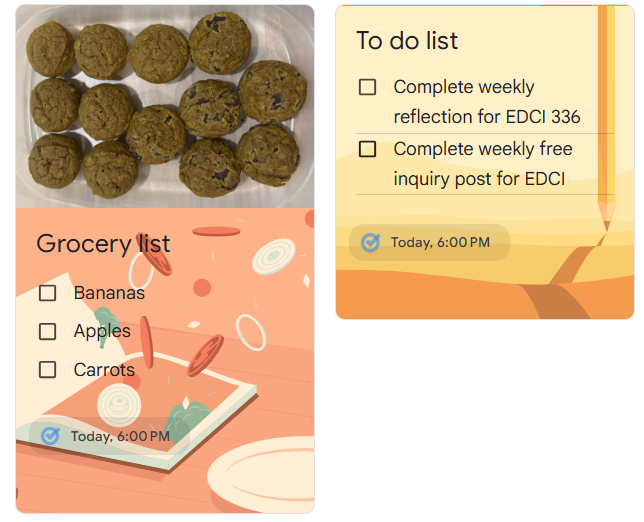
These photos and backgrounds are super random so don’t mind that, but I wanted to put them here to demonstrate that you can add pictures or drawings as well as change the backgrounds or colors on any of your tab. I thought this was a super cool feature if you had something that you wanted to remember with your tab but it was just a picture then you could keep it all grouped together. This is another pro of google keep because it is adaptable and has a lot of different features you can use.
The next thing I would like to talk about is the Trello website. It seems like another great tool for teachers to stay organized. I had never heard of this website before but I could totally see myself using it in the future. It seems quite similar to Google Keep but just a bit more organized I think. You are able to create completely separate boards that each have their own subcategories. This seems like the best website for organizing lesson planning in my opinion. You could have different boards for each week of the unit and have the separate to do lists for each topic. It is also very cool that you can connect your email to this website as well to help with notifications and reminders. Overall, this week’s topic taught me that I need to do some more research on useful websites that teachers could use because it seems like there is a lot out there that I could be missing out on! I just attached a photo below of an example of one of the boards on Trello that you could make into any sort of plan for teaching.
